Monday, 2 November 2015
Immortal Coder: Steve Jobs explains what Object Oriented Programmi...
Immortal Coder: Steve Jobs explains what Object Oriented Programmi...: Interviewer: Would you explain, in simple terms, exactly what object-oriented software is? Steve Jobs: Objects are like people. They&...

Thursday, 23 October 2014
How to copy DLL or take backup of GAC
- Go to Start >> Run
- enter command C:\WINDOWS\ASSEMBLY\gac_msil
- this will give you the explorer windows with all the folder containing each available .dll in GAC
- If you like to take backup of all dll then copy all of them or find folder name as per the dll name to copy just specific dll
To Install the dll in GAC without utility
- Open the folder C:\WINDOWS\ASSEMBLY
- Drag and drop the dll in to this folder.It will get installed.
Hope this will be useful.
Tuesday, 24 June 2014
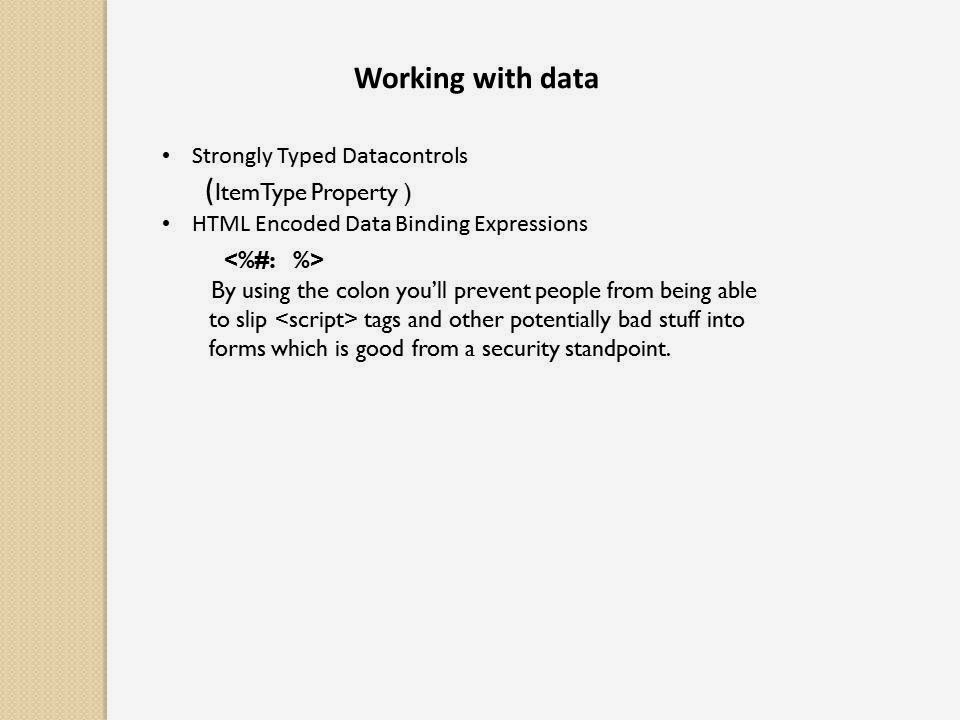
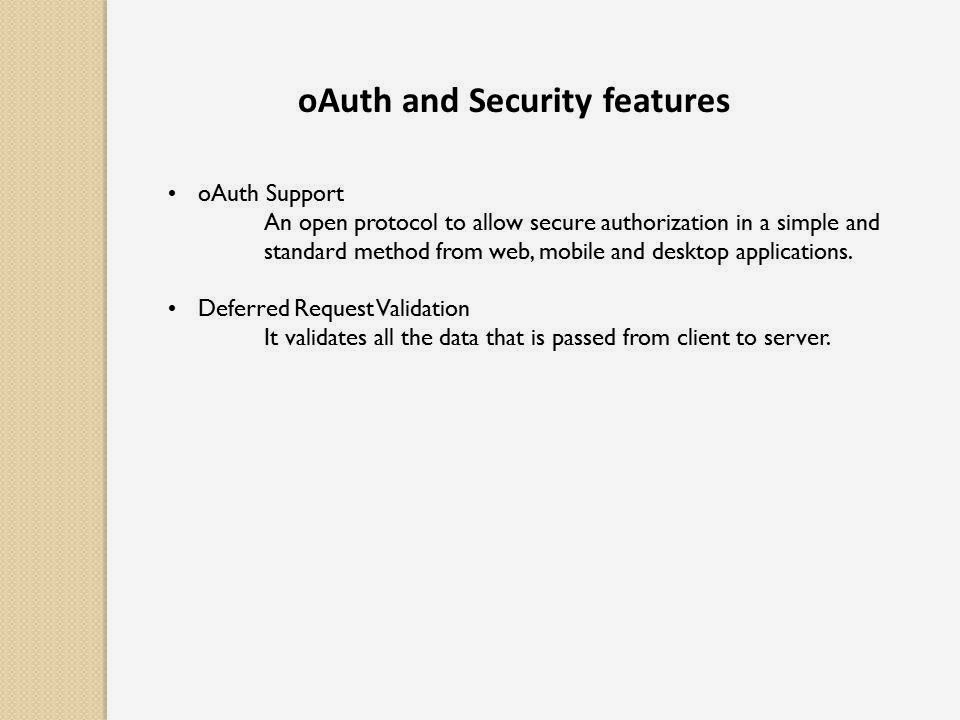
What's New in ASP.NET 4.5 and Visual Studio 2012
This document describes new features and enhancements
that are being introduced in ASP.NET 4.5. It also describes improvements
being made for web development in Visual Studio (Visual Web
Developer).






References:
http://www.asp.net/aspnet/overview/aspnet-and-visual-studio-2012/whats-new
http://pluralsight.com/training/Courses/TableOfContents/aspnet-webforms45-new-features
Saturday, 29 March 2014
Using SQL Server database on other computer connected with LAN
By default Remote connections in SQL Server Express is turned off.
Just turn on the remote connections for SQL Express, enable TCPIP protocal and restart the service, check errorlog whether it's listening on all network adapters Now try to connect using the machine name (since it's dynamic) from the client pc
here is a step
Just turn on the remote connections for SQL Express, enable TCPIP protocal and restart the service, check errorlog whether it's listening on all network adapters Now try to connect using the machine name (since it's dynamic) from the client pc
here is a step
- Open SQL Server Configuration Manager
- Select SQL Server Network Configuration
- Chose your instance of SQL Server
- Make sure that TCP/IP protocol is enabled
- Right click TCP/IP protocol
- Select properties
- Click IP addresses tab
- Scroll down to IP4. The IP address of the server should be here. Set active to yes and enabled to yes. Set TCP port to 1433
- Scroll down to IPAll. Set TCP port to 1433
- Make an inbound firewall rule for port 1433
- open sql server management studio, right click server instance, properties->connections-> allow remote connections. Security-> SQL Server and Windows Authentication mode
- restart sql server service
- restart sql server browser
COMPUTERNAME
for E.g data source=COMPUTERNAME;database=databasename;user id=sa;password=pass;" providerName="System.Data.SqlClient" Reference Link:http://blogs.msdn.com/b/sqlexpress/archive/2005/05/05/415084.aspx Thursday, 20 March 2014
Update TFS workspaces
To update tfs workspace name with your computer name execute this line of code in visual studio command prompt.
C:\Program Files (x86)\Microsoft Visual Studio 11.0\Common7\IDE>tf workspaces /updateComputerName:SUYPC073
/collection:http://asi-tfs-app01:8080/tfs/asi
For other tfs workspaces commands go to this link
http://msdn.microsoft.com/en-us/library/54dkh0y3.aspx
C:\Program Files (x86)\Microsoft Visual Studio 11.0\Common7\IDE>tf workspaces /updateComputerName:SUYPC073
/collection:http://asi-tfs-app01:8080/tfs/asi
For other tfs workspaces commands go to this link
http://msdn.microsoft.com/en-us/library/54dkh0y3.aspx
Thursday, 23 January 2014
Literal vs Label in asp.net
The main difference is that Literal controls just render out text, but Label controls surround it with <span> tags (Unless you use the AssociatedControlID property, in which case a Label control will render a <label> tag).
So, labels can be styled easier, but if you're just inserting text, literals are the way to go. Literal controls also have a handy property Mode which governs how the text is rendered. You can have it HTML-encoded, or rendered without any changes, or have any "unsupported markup-language elements" removed.
If you're not applying any styles (e.g. by using Label's CssClass property), it will be fine to replace Label controls with Literal controls.
Otherwise use the literal unless having the text wrapped in a
So, labels can be styled easier, but if you're just inserting text, literals are the way to go. Literal controls also have a handy property Mode which governs how the text is rendered. You can have it HTML-encoded, or rendered without any changes, or have any "unsupported markup-language elements" removed.
If you're not applying any styles (e.g. by using Label's CssClass property), it will be fine to replace Label controls with Literal controls.
<asp:Label EnableViewState="false" ID="Label8" runat="server"
        AssociatedControlID="txtEmail">Email Address:</asp:Label>

<asp:TextBox ID="txtEmail" runat="server"></asp:TextBox>label element with the correct for
attribute targeting your text box, so that if a user clicks on the
label it automatically sets their cursor inside the text field.Otherwise use the literal unless having the text wrapped in a
span would be beneficial for css styling.Friday, 10 January 2014
HTTP Request Lifecycle Events in IIS Pipeline
The life cycle of an
ASP.NET application starts with a request sent by a browser to the Web
server like IIS. If you are an ASP.NET developer who creates modules and
handlers, it’s important to understand the the HTTP Request Lifecycle
in IIS. This article will give you an overview of the order of events
fired only in the 'Request Life Cycle' in IIS pipeline.
Note:
In IIS 6.0, there are two request processing pipelines – one for
native-code ISAPI filters and the other for managed applications like
ASP.NET. However in IIS 7.0, there is one unified request processing
pipeline for all requests. The ASP.NET runtime is integrated with the
Web server. Also note that if IIS 7 is configured to work in Classic
mode instead of Integrated mode, then it behaves like IIS 6.
When a request is made to IIS, it is queued in the application pool of the application. An application pool is a group of one or more URLs that are served by a worker process. The worker process(w3wp.exe) is responsible to forward the request to the application.
The request is processed by the HttpApplication pipeline and events are fired in the following order:
BeginRequest
- The BeginRequest event signals the creation of any given new request.
This event is always raised and is always the first event to occur
during the processing of a request.
AuthenticateRequest
- The AuthenticateRequest event signals that the configured
authentication mechanism has authenticated the current request.
Subscribing to the AuthenticateRequest event ensures that the request
will be authenticated before processing the attached module or event
handle.
PostAuthenticateRequest
- The PostAuthenticateRequest event is raised after the
AuthenticateRequest event has occurred. All the information available is
accessible in the HttpContext’s User property.
AuthorizeRequest
- The AuthorizeRequest event signals that ASP.NET has authorized the
current request. You can subscribe to the AuthorizeRequest event to
perform custom authorization.
PostAuthorizeRequest - Occurs when the user for the current request has been authorized.
ResolveRequestCache
- Occurs when ASP.NET finishes an authorization event to let the
caching modules serve requests from the cache, bypassing execution of
the event handler and calling any EndRequest handlers.
PostResolveRequestCache
– Reaching this event means the request can’t be served from the cache,
and thus a HTTP handler is created here. A Page class gets created if
an aspx page is requested.
MapRequestHandler
- The MapRequestHandler event is used by the ASP.NET infrastructure to
determine the request handler for the current request based on the
file-name extension of the requested resource.
PostMapRequestHandler - Occurs when ASP.NET has mapped the current request to the appropriate HTTP handler
AcquireRequestState
- Occurs when ASP.NET acquires the current state (for example, session
state) that is associated with the current request. A valid session ID
must exist.
PostAcquireRequestState
- Occurs when the state information (for example, session state or
application state) that is associated with the current request has been
obtained.
PreRequestHandlerExecute - Occurs just before ASP.NET starts executing an event handler
ExecuteRequestHandler – Occurs when handler generates output. This is the only event not exposed by the HTTPApplication class.
PostRequestHandlerExecute - Occurs when the ASP.NET event handler has finished generating the output
ReleaseRequestState
- Occurs after ASP.NET finishes executing all request event handlers.
This event signal ASP.NET state modules to save the current request
state.
PostReleaseRequestState - Occurs when ASP.NET has completed executing all request event handlers and the request state data has been persisted.
UpdateRequestCache
- Occurs when ASP.NET finishes executing an event handler in order to
let caching modules store responses that will be reused to serve
identical requests from the cache.
PostUpdateRequestCache - When thePostUpdateRequestCache is raised, ASP.NET has completed processing code and the content of the cache is finalized.
LogRequest -
Occurs just before ASP.NET performs any logging for the current
request. The LogRequest event is raised even if an error occurs. You can
provide an event handler for the LogRequest event to provide custom
logging for the request.
PostLogRequest - Occurs when request has been logged
EndRequest
- Occurs as the last event in the HTTP pipeline chain of execution when
ASP.NET responds to a request. In this event, you can compress or
encrypt the response.
PreSendRequestHeaders – Fired after EndRequest if buffering is turned on (by default). Occurs just before ASP.NET sends HTTP headers to the client.
PreSendRequestContent - Occurs just before ASP.NET sends content to the client.
Tuesday, 17 December 2013
Is-A Versus Has-A
Believe
it or not, the concept of whether a class "Is a [something]" or "Has a
[something]" comes up quite a bit in object oriented design. For
instance, consider the questions "Is a transmission a car?" and "Does a
car have a transmission?"
Clearly, the second question is the only of the two that one would answer in the affirmative. A transmission is not a car, but a car does have a transmission. This is a classic "Is-A/Has-A" example. And sometimes the answer to the questions are not so clear cut, particularly if the relationship is more obscure, like the relationship between a wall and sheetrock. For example, sheetrock, if hanged, could perform the duties of a wall, and a wall can contain sheetrock. The implementation of the solution to that question could probably be solved with either implementing a "Is-A" paradigm, or a "Has-A" paradigm.
So, I haven't described how "Is-A" and "Has-A" are implemented in object oriented design. Well the answer to that is really quite simple:
"Is-A" is implemented via INHERITANCE
"Has-A" is implemented via COMPOSITION
INHERITANCE
Inheritance is a good solution when some component would be logically defined, more abstractly, as another object.
For instance, think of fruit. Fruit is really more of an abstract concept than it is an implementation. Fruit can either have seeds (raspberries), or not have seeds (bananas). It can also have rind (bananas), or not have rind (raspberries). These attributes (seeds, rinds) are values that the more abstract "fruit" has.
The implementation of this code could be as follows:
///Below is the "Fruit" class
public class Fruit
{
private bool _hasSeeds;
private bool _hasRind;
///Public attribute for whether or not the fruit has seeds
public bool HasSeeds
{
get { return _hasSeeds; }
set { _hasSeeds = value; }
}
///Public attribute for whether the fruit has a rind
public bool HasRind
{
get { return _hasRind; }
set { _hasRind = value; }
}
}
///Public implementation of Banana
///Inherits from Fruit
public class Banana : Fruit
{
///Because the nature of a banana lends itself
///to knowing whether or not it has seeds and rind
///I will set those attributes in the constructor
///There is no reason that the class who calls
///Banana should have to know that a banana does not
///have seeds and does have a rind.
public Banana()
{
this.HasSeeds = false;
this.HasRind = true;
}
public void Peel()
{
///Do some kind of action to peel the banana
///Since Peel() is not common among all fruits
///Peel() does not have to be in the Fruit class
///However, there may be reasons to put it in there
///anyway. It depends on how similar the behavior
///is for all fruits' Peel() behavior
}
}
///Public implementation of Banana
///Inherits from Fruit
public class Raspberry : Fruit
{
///Like in Banana, raspberries HasSeeds and HasRind
///attributes are set
public Raspberry()
{
this.HasSeeds = true;
this.HasRind = false;
}
}
As you can see, this example lends itself very well to the "Is-A" paradigm, because clearly, Bananas and Raspberries are "Fruit." Also note that in the above, I did not put the Peel() method in the Fruit class, because it didn't seem to belong there. If I have an issue where many fruits need to have the Peel() behavior defined in them, I could do one of the following:
1. Create an interface, and have any peelable fruit invoke it:
public interface IPeelableFruit
{
///Notice how there is no implementation in the
///interface's Peel()
///This is because an interface has no implementation
///It is simply a public contract between anyone implementing it
void Peel();
}
Making an interface like the above would make a lot of sense if each fruit's implementation of Peel() were significantly different from one another.
With an interface, when I declare Banana, or any other peelable fruit, it would look like:
public class Banana : Fruit, IPeelableFruit
{
public void Peel()...
}
2. I could create a PeelableFruit class, and a NonPeelableFruit class, and have subsequent classes inherit:
public class PeelableFruit : Fruit
{
public PeelableFruit()
{
this.HasRind = true;
}
}
Then declare Banana as follows:
public class Banana : PeelableFruit
{
...
}
What would happen in the above example is: PeelableFruit would be a fruit. Banana would be ("is-a") a PeelableFruit, and also a Fruit, because it would inherit from both. The technical term is "inheritance chain".
COMPOSITION
"Has-A" lends itself to object relationships where something contains something else, like the above example of a Car and a Transmission. But, suppose we wanted to really define, in a fruit, what a "Rind" is. This would give us a pretty good example of "Has-A", because a PeelableFruit "Has-A" Rind.
So, if I wanted to build a "Rind" class, I would do something like the following:
public class Rind
{
private string _color;
//Let's say this is how difficult the rind is to peel
//A banana would be something like 2, and an orange would
//be 5
private int _difficultyToPeel;
private int _thicknessInMillimeters;
///Each of these private members would also have
///corresponding public members. I'll omit those
public Rind(string color, int difficultyToPeel, int thicknessInMillimeters)
{
_color = color;
_difficultyToPeel = difficultyToPeel;
_thicknessInMillimeters = thicknessInMillimeters;
}
}
So, now that the Rind class is defined, we can now put a Rind object into the PeelableFruit Class:
public class PeelableFruit : Fruit
{
///In the constructor, I instantiate the Rind object
///Otherwise, later on in the execution, I may forget
///and exceptions will get thrown
///Note the constructor had to be changed to facilitate
///the necessity to instantiate the Rind object
///(the color, difficulty, and thickness) parameters
public PeelableFruit(string rindColor, int difficultyToPeel, int thicknessInMillimeters)
{
this.HasRind = true;
this.PeelableFruitRind = new Rind(rindColor, difficultyToPeel, thicknessInMillimeters);
}
protected Rind PeelableFruitRind;
}
Then, when it comes time to instantiate a banana, doing so gives the banana much more robustness:
public class Banana : PeelableFruit
{
///I don't really know if this is "best practice"
///to make a class so knowing of how
///it implements a parent class, but I don't care.
///This is how I will continue
///to invoke this sort of inheritance
public Banana() : base("YELLOW", 2, 7)
{
}
}
Note that, when Banana gets instantiated, it will inherit the PeelableFruit's protected variable PeelableFruitRind, and that fruit rind will have a color of "YELLOW", a peeling difficulty of 2, and a thickness of 7 millimeters. Now, Banana "Has-A" rind, and that means it's using COMPOSITION.
Reference : http://www.c-sharpcorner.com/blogs/1416/is-a-versus-has-a.aspx
Clearly, the second question is the only of the two that one would answer in the affirmative. A transmission is not a car, but a car does have a transmission. This is a classic "Is-A/Has-A" example. And sometimes the answer to the questions are not so clear cut, particularly if the relationship is more obscure, like the relationship between a wall and sheetrock. For example, sheetrock, if hanged, could perform the duties of a wall, and a wall can contain sheetrock. The implementation of the solution to that question could probably be solved with either implementing a "Is-A" paradigm, or a "Has-A" paradigm.
So, I haven't described how "Is-A" and "Has-A" are implemented in object oriented design. Well the answer to that is really quite simple:
"Is-A" is implemented via INHERITANCE
"Has-A" is implemented via COMPOSITION
INHERITANCE
Inheritance is a good solution when some component would be logically defined, more abstractly, as another object.
For instance, think of fruit. Fruit is really more of an abstract concept than it is an implementation. Fruit can either have seeds (raspberries), or not have seeds (bananas). It can also have rind (bananas), or not have rind (raspberries). These attributes (seeds, rinds) are values that the more abstract "fruit" has.
The implementation of this code could be as follows:
///Below is the "Fruit" class
public class Fruit
{
private bool _hasSeeds;
private bool _hasRind;
///Public attribute for whether or not the fruit has seeds
public bool HasSeeds
{
get { return _hasSeeds; }
set { _hasSeeds = value; }
}
///Public attribute for whether the fruit has a rind
public bool HasRind
{
get { return _hasRind; }
set { _hasRind = value; }
}
}
///Public implementation of Banana
///Inherits from Fruit
public class Banana : Fruit
{
///Because the nature of a banana lends itself
///to knowing whether or not it has seeds and rind
///I will set those attributes in the constructor
///There is no reason that the class who calls
///Banana should have to know that a banana does not
///have seeds and does have a rind.
public Banana()
{
this.HasSeeds = false;
this.HasRind = true;
}
public void Peel()
{
///Do some kind of action to peel the banana
///Since Peel() is not common among all fruits
///Peel() does not have to be in the Fruit class
///However, there may be reasons to put it in there
///anyway. It depends on how similar the behavior
///is for all fruits' Peel() behavior
}
}
///Public implementation of Banana
///Inherits from Fruit
public class Raspberry : Fruit
{
///Like in Banana, raspberries HasSeeds and HasRind
///attributes are set
public Raspberry()
{
this.HasSeeds = true;
this.HasRind = false;
}
}
As you can see, this example lends itself very well to the "Is-A" paradigm, because clearly, Bananas and Raspberries are "Fruit." Also note that in the above, I did not put the Peel() method in the Fruit class, because it didn't seem to belong there. If I have an issue where many fruits need to have the Peel() behavior defined in them, I could do one of the following:
1. Create an interface, and have any peelable fruit invoke it:
public interface IPeelableFruit
{
///Notice how there is no implementation in the
///interface's Peel()
///This is because an interface has no implementation
///It is simply a public contract between anyone implementing it
void Peel();
}
Making an interface like the above would make a lot of sense if each fruit's implementation of Peel() were significantly different from one another.
With an interface, when I declare Banana, or any other peelable fruit, it would look like:
public class Banana : Fruit, IPeelableFruit
{
public void Peel()...
}
2. I could create a PeelableFruit class, and a NonPeelableFruit class, and have subsequent classes inherit:
public class PeelableFruit : Fruit
{
public PeelableFruit()
{
this.HasRind = true;
}
}
Then declare Banana as follows:
public class Banana : PeelableFruit
{
...
}
What would happen in the above example is: PeelableFruit would be a fruit. Banana would be ("is-a") a PeelableFruit, and also a Fruit, because it would inherit from both. The technical term is "inheritance chain".
COMPOSITION
"Has-A" lends itself to object relationships where something contains something else, like the above example of a Car and a Transmission. But, suppose we wanted to really define, in a fruit, what a "Rind" is. This would give us a pretty good example of "Has-A", because a PeelableFruit "Has-A" Rind.
So, if I wanted to build a "Rind" class, I would do something like the following:
public class Rind
{
private string _color;
//Let's say this is how difficult the rind is to peel
//A banana would be something like 2, and an orange would
//be 5
private int _difficultyToPeel;
private int _thicknessInMillimeters;
///Each of these private members would also have
///corresponding public members. I'll omit those
public Rind(string color, int difficultyToPeel, int thicknessInMillimeters)
{
_color = color;
_difficultyToPeel = difficultyToPeel;
_thicknessInMillimeters = thicknessInMillimeters;
}
}
So, now that the Rind class is defined, we can now put a Rind object into the PeelableFruit Class:
public class PeelableFruit : Fruit
{
///In the constructor, I instantiate the Rind object
///Otherwise, later on in the execution, I may forget
///and exceptions will get thrown
///Note the constructor had to be changed to facilitate
///the necessity to instantiate the Rind object
///(the color, difficulty, and thickness) parameters
public PeelableFruit(string rindColor, int difficultyToPeel, int thicknessInMillimeters)
{
this.HasRind = true;
this.PeelableFruitRind = new Rind(rindColor, difficultyToPeel, thicknessInMillimeters);
}
protected Rind PeelableFruitRind;
}
Then, when it comes time to instantiate a banana, doing so gives the banana much more robustness:
public class Banana : PeelableFruit
{
///I don't really know if this is "best practice"
///to make a class so knowing of how
///it implements a parent class, but I don't care.
///This is how I will continue
///to invoke this sort of inheritance
public Banana() : base("YELLOW", 2, 7)
{
}
}
Note that, when Banana gets instantiated, it will inherit the PeelableFruit's protected variable PeelableFruitRind, and that fruit rind will have a color of "YELLOW", a peeling difficulty of 2, and a thickness of 7 millimeters. Now, Banana "Has-A" rind, and that means it's using COMPOSITION.
Reference : http://www.c-sharpcorner.com/blogs/1416/is-a-versus-has-a.aspx
Monday, 16 December 2013
Eval() vs Bind()
Eval(): -
Eval() method provides only for displaying data from a data source in a control.
Bind():-
Bind() methods provides for two-way binding which means that it can be used to display as well update data from a data source
Eval() method provides only for displaying data from a data source in a control.
Bind():-
Bind() methods provides for two-way binding which means that it can be used to display as well update data from a data source
Thursday, 12 December 2013
Concatenate Rows using FOR XML PATH() IN SQL
'Concatenate Rows using FOR XML PATH() IN SQL
For example, if you have the following data:
SUB.Name AS [Sub Category]
FROM Production.ProductCategory CAT
INNER JOIN Production.ProductSubcategory SUB
ON CAT.ProductCategoryID = SUB.ProductCategoryID
 The desired output here is to concatenate the subcategories in a single row as:

We can achieve this by using FOR XML PATH(), the above query needs to be modified to concatenate the rows:
USE AdventureWorks2008R2
SELECT CAT.Name AS [Category],
STUFF(( SELECT ',' + SUB.Name AS [text()]
– Add a comma (,) before each value
FROM Production.ProductSubcategory SUB
WHERE
SUB.ProductCategoryID = CAT.ProductCategoryID
FOR XML PATH('') – Select it as XML
), 1, 1, '' )
– This is done to remove the first character (,)
– from the result
AS [Sub Categories]
FROM Production.ProductCategory CAT
Hope This Helps!
For example, if you have the following data:
USE AdventureWorks2008R2
SELECT CAT.Name AS [Category],SUB.Name AS [Sub Category]
FROM Production.ProductCategory CAT
INNER JOIN Production.ProductSubcategory SUB
ON CAT.ProductCategoryID = SUB.ProductCategoryID
We can achieve this by using FOR XML PATH(), the above query needs to be modified to concatenate the rows:
USE AdventureWorks2008R2
STUFF(( SELECT ',' + SUB.Name AS [text()]
– Add a comma (,) before each value
FROM Production.ProductSubcategory SUB
WHERE
SUB.ProductCategoryID = CAT.ProductCategoryID
FOR XML PATH('') – Select it as XML
), 1, 1, '' )
– This is done to remove the first character (,)
– from the result
AS [Sub Categories]
FROM Production.ProductCategory CAT
Executing this query will generate the required concatenated values as depicted in above screen shot.
We can also use FOR XML to convert out resulting table in to xml format.there are some other variants of 'FOR XML'.Try it...
We can also use FOR XML to convert out resulting table in to xml format.there are some other variants of 'FOR XML'.Try it...
Tuesday, 3 December 2013
Unable to get value of the property 'toLowerCase': object is null or undefined
Open a modal RadWindow inside another RadWindow (or iframe) in IE9 and IE10 and avoid the JavaScript error this can cause because of a browser bug.
Note: This also applies to the server RadAlert(), RadConfirm() and RadPrompt() methods and the radopen(), radalert(), radconfirm() and radprompt() client-side methods when called from the server in the Sys.Application.Load event.
This can be solved by adding a new method OnClientBeforeShow="fixIE" of
RadWindowManager
<telerik:RadWindowManager ID="radWinManager"
runat="server" DestroyOnClose="True" OnClientBeforeShow="fixIE"
KeepInScreenBounds="true">
</telerik:RadWindowManager>
Function
function fixIE() {
document.documentElement.focus();
}
__doPostBack' is undefined in IE10
This bug occurs because of the missing of IE 10 browser definition files.This can be solved by installing hotfix for the ASP.NET browser definition files.
This hotfix introduces updated definitions in the browser definition file for Internet Explorer. The browser definition files are stored in one of the following folders, depending on the installed version of the Microsoft .NET Framework:
For more information go to
http://support.microsoft.com/kb/2600100
This hotfix introduces updated definitions in the browser definition file for Internet Explorer. The browser definition files are stored in one of the following folders, depending on the installed version of the Microsoft .NET Framework:
- For 32-bit versions of the .NET Framework 2.0 SP2 or of the .NET Framework 3.5 SP1
%WinDir%\Microsoft.NET\Framework\v2.0.50727\CONFIG\Browsers - For 64-bit versions of the .NET Framework 2.0 SP2 or of the .NET Framework 3.5 SP1
%WinDir%\Microsoft.NET\Framework64\v2.0.50727\CONFIG\Browsers
For more information go to
http://support.microsoft.com/kb/2600100
Microsoft JScript runtime error: '$telerik' is undefined
This issue is encountered only when the property DestroyOnClose of the RadWindow is set totrue. If it is not needed in your scenario, I would suggest removing it.
Wednesday, 24 July 2013
To call root parent's function from n-th child window using javascript
If you want to call the topmost window function from n-th child window call
window.top.abc(); //abc() is the function in the topmost window.
window.top.abc(); //abc() is the function in the topmost window.
Friday, 7 June 2013
SqlServer Query Optimization Tips
Tip 1: Always use WHERE Clause in SELECT Queries while we don’t need all the rows to be returned. This will help to narrow the return rows else it will perform a whole table scan and waste the Sql server resources with increasing the network traffic. While scanning the whole it will lock the Table which may prevent other users to access the table.
Tip 2: It is seen many times developers use codes like
SELECT * FROM OrderTable WHERE LOWER(UserName)='telsa'
Instead of writing it like the below
SELECT * FROM OrderTable WHERE UserName='telsa'
Infact both the queries does the same work but the 2nd one is better and retrieves rows more speedly than the first query. Because Sql Server is not case sensitive
Tip 3: While running a query, the operators used with the WHERE clause directly affect the performance. The operators shown below are in their decreasing order of their performance.
=
>,>=,<, <=
LIKE
<>
Tip 4 : When we are writing queries containing NOT IN, then this is going to offer poor performance as the optimizer need to use nested table scan to perform this activity. This can be avoided by using EXISTS or NOT EXISTS.
When there is a choice to use IN or EXIST, we should go with EXIST clause for better performance.
Tip 5: It is always best practice to use the Index seek while the columns are covered by an index, this will force the Query Optimizer to use the index while using IN or OR clauses as a part of our WHERE clause.
SELECT * FROM OrderTable WHERE Status = 1 AND OrderID IN (406,530,956)
Takes more time than
SELECT * FROM OrderTable (INDEX=IX_OrderID) WHERE Status = 1 AND OrderID IN (406,530,956)
Tip 6: While we use IN, in the sql query it better to use one or more leading characters in the clause instead of using the wildcard character at the starting.
SELECT * FROM CustomerTable WHERE CustomerName LIKE 'm%'
SELECT * FROM CustomerTable WHERE CustomerName LIKE '%m'
In the first query the Query optimizer is having the ability to use an index to perform the query and there by reducing the load on sql server. But in the second query, no suitable index can be created while running the query.
Tip 7: While there is case to use IN or BETWEEN clause in the query, it is always advisable to use BETWEEN for better result.
SELECT * FROM CustomerTable WHERE CustomerID BETWEEN (5000 AND 5005)
Performs better than
SELECT * FROM CustomerTable WHERE CustomerID IN (5000,5001,5002,5003,5004,5005)
Tip 8: Always avoid the use of SUBSTRING function in the query.
SELECT * FROM CustomerTable WHERE CustomerName LIKE 'n%'
Is much better than writing
SELECT * FROM CustomerTable WHERE SUBSTRING(CustomerName,1,1)='n'
Tip 9 : The queries having WHERE clause connected by AND operators are evaluated from left to right in the order they are written. So certain things should be taken care of like
Provide the least likely true expressions first in the AND. By doing this if the AND expression is false at the initial stage the clause will end immediately. So it will save execution time
If all the parts of the AND expression are equally like being false then better to put the Complex expression first. So if the complex works are false then less works to be done.
Tip 10: Its sometimes better to combine queries using UNION ALL instead of using many OR clauses.
SELECT CustomerID, FirstName, LastName FROM CustomerTable
WHERE City = 'Wichita' or ZIP = '67201' or State= 'Kansas'
The above query to use and index, it is required to have indexes on all the 3 columns.
The same query can be written as
SELECT CustomerID, FirstName, LastName FROM CustomerTable WHERE City = 'Wichita'
UNION ALL
SELECT CustomerID, FirstName, LastName FROM CustomerTable WHERE ZIP = '67201'
UNION ALL
SELECT CustomerID, FirstName, LastName FROM CustomerTable WHERE State= 'Kansas'
Both the queries will provide same results but if there is only an index on City and no indexes on the zip or state, then the first query will not use the index and a table scan is performed. But the 2nd one will use the index as the part of the query.
Tip 11: While the select statement contains a HAVING clause, its better to make the WHERE clause to do most of the works (removing the undesired rows) for the Query instead of letting the HAVING clause to do the works.
e.g. in a SELECT statement with GROUP BY and HAVING clause, things happens like first WHERE clause will select appropriate rows then GROUP BY divide them to group of rows and finally the HAVING clause have less works to perform, which will boost the performance.
Tip 12: Let’s take 2 situations
A query that takes 30 seconds to run, and then displays all of the required results.
A query that takes 60 seconds to run, but displays the first screen full of records in less than 1 second.
By looking at the above 2 situations a developer may choose to follow the 1st option, as it uses less resources and faster in performance. But actually the 2nd one is more acceptable by a DBA. An application may provide immediate feedback to the user, but actually this may not be happening at the background.
We can use a hint like
SELECT * FROM CustomerTable WHERE City = 'Wichita' OPTION(FAST n)
where n = number of rows that we want to display as fast as possible. This hint helps to return the specified number of rows as fast as possible without bothering about the time taken by the overall query.
Wednesday, 29 May 2013


Thursday, 25 April 2013
Visual Studio.NET ShortCut Keys
1. Ctrl + N Opens the New Project Dialogue Box
2. Ctrl + Shift + O Opens the Open File Dialog Box
3. Ctrl + Shift + A Opens Add New Item window
4. Ctrl + D Opens Add Existing Item window
5. Ctrl + S Saves Current Form
6. Ctrl + Shift + S Saves everything from Application
7. Alt + Q Exits Visual Studio. NET
8. Ctrl + Z Undo
9. Ctrl + Shift + Z Redo
10. Ctrl + X Cuts your selection
11. Ctrl + C Copies your selection
12. Ctrl + V Pastes your selection
13. Ctrl + A Selects All
14. Del Deletes your selection
15. Ctrl + F Opens Find window
16. Ctrl + H Opens Find and Replace window
17. Ctrl + Shift + H Opens Replace in Files window
18. Ctrl + Alt + Shift + F12 Opens Find Symbol window
19. F7 Opens Code Designer window
20. Shift + F7 Gets you back to Design View
21. Ctrl + R Opens the Solution Explorer window
22. Ctrl + Alt + S Opens the Server Explorer window
23. Ctrl + Shift + C Opens the Class View window
24. F4 Opens the Properties window
25. Ctrl + Shift + E Opens the Resource view window
26. Ctrl + Alt + X Opens the Toolbar window
27. Shift + Alt + Enter Takes you to Full Screen View
28. Alt+F8 Opens Macro Explorer window
29. F2 Opens Object Browser window
30. Ctrl + Alt + T Opens Document Outline window
31. Ctrl + Alt + K Opens Task List window
32. Ctrl + Alt + A Opens Command window
33. Ctrl + Alt + O Opens Output window
34. Ctrl + Alt + Y Opens Find Symbol Results window
35. Ctrl + Alt + F Lists Items under the Favorites Menu in your Internet Explorer
36. Ctrl + Shift + B Builds your project
37. F5 Runs your Application
38. Ctrl + F5 Runs your Application without Debugging
39. Ctrl + Alt + E Opens the Exceptions Dialog Box
40. F8 Used while Debugging Applications
41. Shift + F8 Used While Debugging Applications
42. Ctrl + B Inserts a New Break point
43. Ctrl + Shift + F9 Clears All Breakpoints
44. Ctrl + Alt + P Opens the Processes Dialog box
45. Ctrl + T Opens Customize Toolbox window
46. Ctrl + Shift + P Runs Temporary Macro
47. Ctrl + Shift + R Records Temporary Macro
48. Alt + F11 Opens Macros IDE
49. Ctrl + F1 Opens Dynamic Help window
50. Ctrl +Alt + F1 Opens Help window sorted by Contents
51. Ctrl + Alt + F2 Opens Help window sorted by Index
52. Ctrl + Alt + F3 Opens Help Search window
53. Shift + Alt + F2 Opens Index Results window
54. Shift + Alt + F3 Opens Search Results window
55. Ctrl + K +C Comment out the current selected section
56. Ctrl + K +U Un comment the current selected section
2. Ctrl + Shift + O Opens the Open File Dialog Box
3. Ctrl + Shift + A Opens Add New Item window
4. Ctrl + D Opens Add Existing Item window
5. Ctrl + S Saves Current Form
6. Ctrl + Shift + S Saves everything from Application
7. Alt + Q Exits Visual Studio. NET
8. Ctrl + Z Undo
9. Ctrl + Shift + Z Redo
10. Ctrl + X Cuts your selection
11. Ctrl + C Copies your selection
12. Ctrl + V Pastes your selection
13. Ctrl + A Selects All
14. Del Deletes your selection
15. Ctrl + F Opens Find window
16. Ctrl + H Opens Find and Replace window
17. Ctrl + Shift + H Opens Replace in Files window
18. Ctrl + Alt + Shift + F12 Opens Find Symbol window
19. F7 Opens Code Designer window
20. Shift + F7 Gets you back to Design View
21. Ctrl + R Opens the Solution Explorer window
22. Ctrl + Alt + S Opens the Server Explorer window
23. Ctrl + Shift + C Opens the Class View window
24. F4 Opens the Properties window
25. Ctrl + Shift + E Opens the Resource view window
26. Ctrl + Alt + X Opens the Toolbar window
27. Shift + Alt + Enter Takes you to Full Screen View
28. Alt+F8 Opens Macro Explorer window
29. F2 Opens Object Browser window
30. Ctrl + Alt + T Opens Document Outline window
31. Ctrl + Alt + K Opens Task List window
32. Ctrl + Alt + A Opens Command window
33. Ctrl + Alt + O Opens Output window
34. Ctrl + Alt + Y Opens Find Symbol Results window
35. Ctrl + Alt + F Lists Items under the Favorites Menu in your Internet Explorer
36. Ctrl + Shift + B Builds your project
37. F5 Runs your Application
38. Ctrl + F5 Runs your Application without Debugging
39. Ctrl + Alt + E Opens the Exceptions Dialog Box
40. F8 Used while Debugging Applications
41. Shift + F8 Used While Debugging Applications
42. Ctrl + B Inserts a New Break point
43. Ctrl + Shift + F9 Clears All Breakpoints
44. Ctrl + Alt + P Opens the Processes Dialog box
45. Ctrl + T Opens Customize Toolbox window
46. Ctrl + Shift + P Runs Temporary Macro
47. Ctrl + Shift + R Records Temporary Macro
48. Alt + F11 Opens Macros IDE
49. Ctrl + F1 Opens Dynamic Help window
50. Ctrl +Alt + F1 Opens Help window sorted by Contents
51. Ctrl + Alt + F2 Opens Help window sorted by Index
52. Ctrl + Alt + F3 Opens Help Search window
53. Shift + Alt + F2 Opens Index Results window
54. Shift + Alt + F3 Opens Search Results window
55. Ctrl + K +C Comment out the current selected section
56. Ctrl + K +U Un comment the current selected section
Wednesday, 27 March 2013
Parsename to Extract Precision and Scale values From Decimal Numbers
The numeric datatype stores numbers with precision and scale. Suppose you want to extract only a precision or a scale, you can do it via many ways. One of the ways is to make use of the PARSENAME function.
Consider the following example
declare @amount decimal(12,2)
set @amount=87234.50
select parsename(@amount,2) as precision, parsename(@amount,1) as scale
The result is
precision scale
--------- --------
87234 50
Parsename is used to extract specified part of a name. In general, it is used to extract names from four part object names separated by a dot. Argument number 1 extracts the last part of a string, and the 2nd argument extracts the next last part.
This way we can effectively make use of parsename function to extract precision and scale values from the decimal numbers.
TOP 5 costly Stored Procedures in a SQL Server Database
Execute this query on corresponding Database
SELECT TOP 5 obj.name, max_logical_reads,
 max_elapsed_time
FROM sys.dm_exec_query_stats a
CROSS APPLY sys.dm_exec_sql_text(sql_handle) hnd
INNER JOIN sys.sysobjects obj on hnd.objectid = obj.id
ORDER BY  max_logical_reads  DESC
Combine Multiple Rows into One Row using SQL Server
Imagine you have a column like this:
Numbers
---------
One
Two
Three
Four
Five
The output you desire is to combine all the rows and put it as one row similar to the following:
OneTwoThreeFourFive
Let us see how to do it:
-- Sample Script to create the table and insert rows
-- By SQLServerCurry.com
CREATE TABLE #Temp
(
[Numbers] varchar(40)
)
INSERT INTO #Temp VALUES('One');
INSERT INTO #Temp VALUES('Two');
INSERT INTO #Temp VALUES('Three');
INSERT INTO #Temp VALUES('Four');
INSERT INTO #Temp VALUES('Five');
-- Query to combine multiple rows into one
DECLARE @str VARCHAR(100)
SELECT @str = COALESCE(@str + '', '') + [Numbers]
FROM #Temp
Print @str
Subscribe to:
Posts (Atom)